
Designing Agent Skills Updater: Why Skill Management Matters for Small Teams
AI coding assistants are changing how small teams and solo builders ship software. But there's a gap between having access to these tools and getting the most out of them. Skills — the markdown files that extend what AI assistants know — are one of the biggest levers for productivity, and right now managing them is harder than it needs to be.
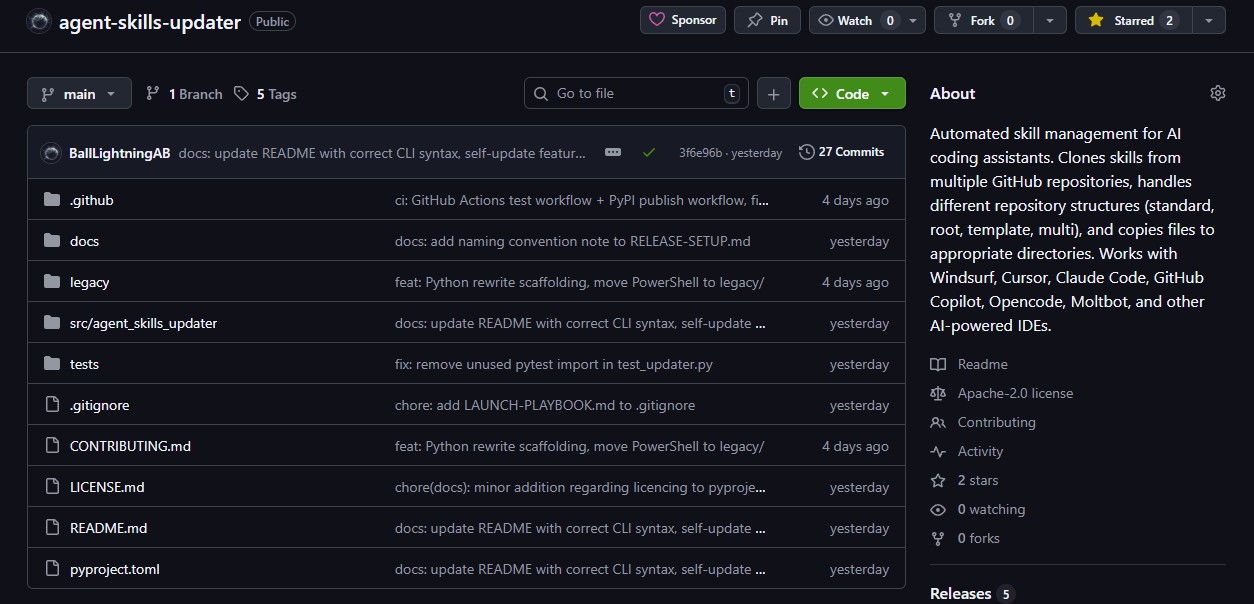
This post is about the design thinking behind Agent Skills Updater, why I built it the way I did, who it's for, and how it fits into the larger picture of what I'm building at Ball Lightning AB.
The Problem Isn't Technical — It's Operational
If you're a solo founder or part of a small team, you're probably already using AI coding assistants. Windsurf, Cursor, Claude Code, GitHub Copilot — the list grows every month. These tools are genuinely useful out of the box. But they get significantly better when you add skills (+workflows/rules).
Skills are specialised knowledge files. A copywriting skill teaches the AI how to write conversion-focused copy. An SEO skill gives it the playbook for on-page optimisation. A frontend design skill helps it produce polished, production-grade UI instead of generic defaults. There are skills for email best practices, schema markup, analytics tracking, and dozens of other domains.
The problem isn't finding skills — skills.sh catalogues hundreds of them. The problem is keeping them current across your tools. Skills live in different GitHub repositories, each maintained by different authors, each structured differently. Every IDE stores them in a different directory. If you use two or three AI tools across a couple of machines, you're looking at a matrix of repositories × tools × machines that grows quickly.
For a large company, this is a minor inconvenience — they have DevOps teams and internal tooling. For a solo founder or a three-person startup, it's the kind of friction that either eats time or gets ignored entirely. And when it gets ignored, your AI assistants run on stale knowledge.
That's the problem Agent Skills Updater solves.
Design Goals
I had three principles when designing this tool:
Configure Once, Run Forever
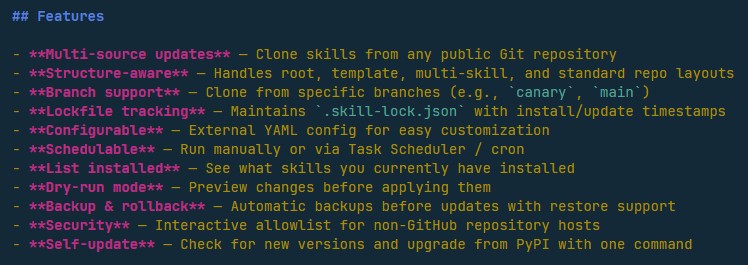
The setup should take five minutes. You create a YAML config listing your skill repos and which skills you want from each. After that, a single command updates everything. You can schedule it to run daily with Task Scheduler or cron and never think about it again.
This matters because small teams don't have time for tools that need regular attention. If a tool requires you to remember to use it, you'll stop using it when things get busy. The best infrastructure tools are the ones you forget exist because they just work.
Safe by Default
Every update creates a timestamped backup of your current skills before changing anything. If an update breaks something — a skill author restructured their repo, or a new version doesn't work with your setup — you roll back with one command:
agent-skills-update rollbackThis isn't a nice-to-have. When you're a solo founder and your AI assistant suddenly gives worse output because a skill changed underneath you, you need to get back to working state immediately. You don't have time to debug why your copywriting skill is generating different output at 2pm on a Tuesday.
No Surprises
The tool does exactly what you tell it to, and nothing else. It doesn't phone home. It doesn't install things you didn't ask for. It doesn't modify your config without prompting. When it encounters a non-GitHub host, it asks for explicit permission before cloning. When there's a new version available, it tells you — it doesn't auto-update itself unless you run self-update.
Predictability is a feature, especially for tools that touch your development environment.
Why a CLI and Not a GUI
I get this question. The answer is that a CLI is the right tool for this job.
Skill management is an infrastructure task, not a creative one. You don't need a visual interface to decide which skills to install — you already know. What you need is something scriptable, schedulable, and pipeable into other workflows.
A CLI means:
- Schedule it with cron or Task Scheduler — fire and forget
- Run it in CI/CD if you want consistent skills across a team
- Pipe the output to other tools with
--jsonflag - No Electron app eating 300MB of RAM to manage a few markdown files
The right interface for a tool depends on what the tool does. For something you interact with daily, a GUI makes sense. For something you configure once and run on autopilot, a CLI is the correct choice.
Where This Fits in the Bigger Picture
Agent Skills Updater is the first publicly available piece of Chronomation — an ecosystem of tools and services I'm building at Ball Lightning AB around AI-assisted development.
The thesis behind Chronomation is that AI coding assistants are becoming central to how small teams build software, but the tooling around them hasn't caught up. The assistants themselves are powerful. The ecosystem of skills, configs, workflows, and integrations that surround them is still fragmented and manual.
Agent Skills Updater addresses one piece of that: keeping your AI assistants equipped with current, relevant knowledge. It's the plumbing. It's not glamorous, but it's the kind of thing that quietly makes everything else work better.
There's more coming — tools for discovering skills, managing AI configurations across teams, and integrating AI-assisted workflows into the development lifecycle. Updates land here on the blog when there's something worth sharing.
Who This Is For
I built this for people like me: founders, freelancers, and small teams who use AI coding assistants as a core part of their workflow and don't want to waste time on manual skill maintenance.
Specifically:
- Solo founders building products with AI assistants and juggling multiple tools
- Small dev teams who want consistent AI capabilities across the team without manual setup on each machine
- Freelancers and consultants who switch between projects and need different skill sets loaded for different clients
- Anyone using multiple AI coding tools who's tired of keeping skills in sync manually
If you don't use AI coding skills yet, start at skills.sh — it'll change how your AI assistant works. Then come back here when you need to manage what you've installed. There's a great guide at: docs.windsurf.com/windsurf/cascade/skills
What I Want to Build Next
The project board is public and tracks everything. But here's what I'm thinking about for the next phase:
- Auto-discovery of installed IDEs — The tool should detect which AI tools you have installed instead of requiring manual path configuration
- A skill discovery interface — Not just updating skills you already have, but finding new ones. Browsing what's available, reading descriptions, installing with one command
- Team config sharing — A way to define a standard skill set for a team and keep everyone in sync
- Skill diff — Showing exactly what changed in a skill before you apply the update, like
git difffor your AI knowledge base
Some of these are small additions. Some are significant new features. I want to build the ones that matter most to the people actually using this tool.
I'm also working on the rebuild of my company site and building Chronomation, so there's ample competition for my resources.
I Want Your Input
This is an open-source project and I'm building it in public. That means I'm genuinely asking: what would make this more useful for your workflow?
Not in a "we value your feedback" corporate way. In a "I'm one person building tools I use myself, and I want to know what's missing" way.
- What features would save you the most time?
- What's confusing or annoying about the current setup?
- Are there skill repositories or IDE configurations that should be supported and aren't?
- Is there something about how you manage AI skills today that could be automated better?
Open an issue on GitHub, reach out directly, or just reply if you're reading this on social. Every piece of feedback shapes what gets built next.
If you're new to Agent Skills Updater, start with the release announcement or the build story for the full backstory.
Related Posts
From PowerShell Script to PyPI: Building My First Open-Source Tool
How a PowerShell script for managing AI skills became a Python CLI on PyPI in two days — my first open-source release from Ball Lightning AB.

The Client Quest: Facebook Posts, Cloudflare Redirects, and a Bash Script That Learned From Its Mistakes
A freelance client engagement told as an RPG quest — from planning in the tavern, to grabbing tools from the merchant, to a multi-day adventure of content, automation, and debugging. Plus: how this becomes a Chronomation workflow.
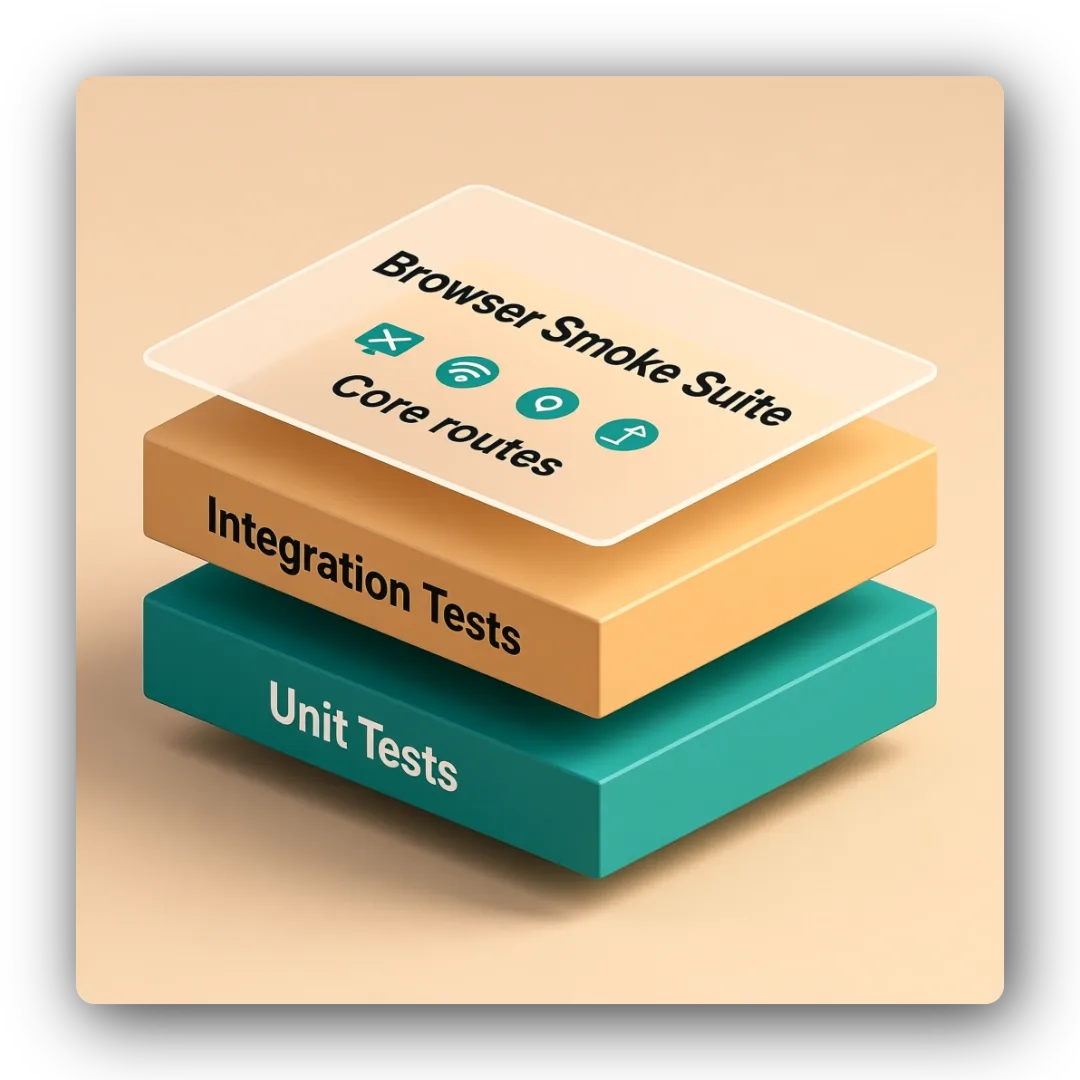
Browser Smoke Suite: Cost-Efficient Route Validation for Shipping API Dojo v2
Issue #17 added a minimal Playwright smoke suite to complement unit/integration coverage. I built a cost-efficient browser test layer for checkpoint validation and future mirror sites.