
From PowerShell Script to PyPI: Building My First Open-Source Tool
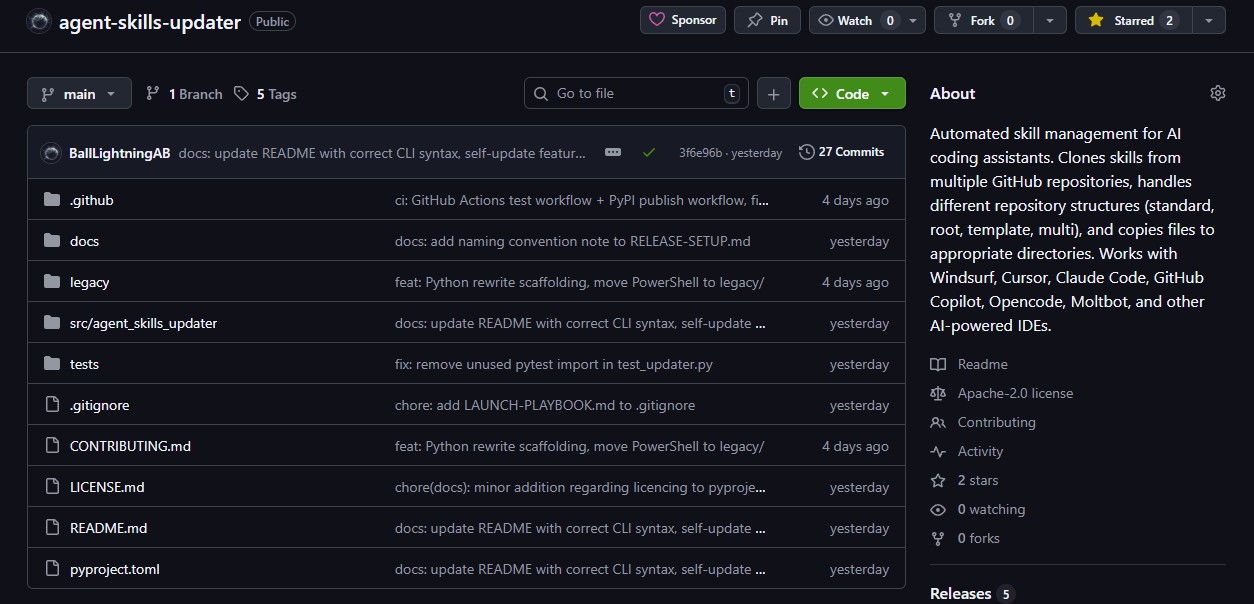
A few weeks ago I wrote a PowerShell script that updated AI coding skills for my own machines. Two days later I had a cross-platform Python CLI published on PyPI, a CI pipeline running across six OS/Python combinations, and my first open-source release. This is the story of how that happened and what I learned along the way.
The Itch
I use AI coding assistants daily — Windsurf primarily, along with Warp and ChatGPT as a standalone researcher. These tools support "skills," which are markdown files that give the AI specialised knowledge about specific domains. There are skills for SEO, copywriting, frontend design, security patterns, and more. The ecosystem is growing fast, with skills.sh cataloguing hundreds of them.
The problem is that skills live in dozens of different GitHub repositories, each with a different folder structure. Some have skills in a /skills/<name>/ directory. Some put SKILL.md in the root. Some use a template/ subdirectory. Some contain multiple skills in nested folders. And every IDE stores them in a different location on disk.
I was spending time I didn't have manually checking repos for updates, downloading files, and copying them to the right directories across multiple tools and machines. It was the kind of low-value maintenance work that quietly eats into your week.
So I wrote a PowerShell script to handle it.
The PowerShell Version
The first version was functional but limited. It cloned repos, detected a couple of folder structures, and copied files to the right places. It worked on Windows with PowerShell 5.1 and on macOS/Linux with PowerShell 7.
For my own use, it was fine. But as I started thinking about sharing it — and about the broader ecosystem of people using AI coding assistants — the limitations became obvious:
- Distribution: Asking people to install PowerShell 7 on macOS just to run a skill updater is a non-starter
- Package management: No equivalent of
pip installfor PowerShell scripts - Cross-platform quirks: Path handling, file permissions, and encoding differences between PowerShell versions
- Extensibility: Adding features like backup/rollback or self-update in PowerShell meant fighting the language rather than working with it
The script solved my problem, but it wasn't something I could hand to someone else and say "just run this." It also wasn't something I could repurpose for Chronomation.
The Python Rewrite
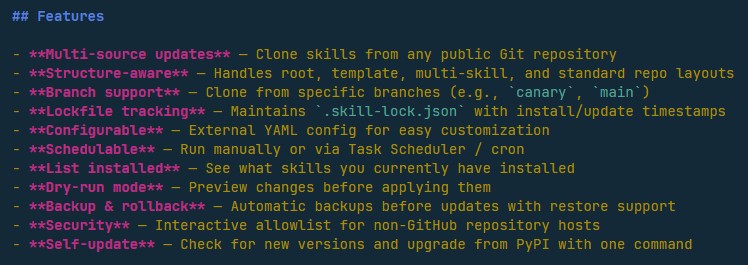
After an hour's research I chose Python for the rewrite. Python 3.12+ is available everywhere and supports all operating systems. pip install is a one-liner. The ecosystem has mature libraries for CLI tools (Click), YAML parsing, and HTTP requests. And publishing to PyPI gives you a trusted global distribution with zero infrastructure.
The rewrite took two days. Not because the logic was complex — the core problem is straightforward — but because I wanted to do it properly:
- Click-based CLI with subcommands (
list,rollback,list-backups,self-update) and flags (--dry-run,--force,--verbose,--json) - Atomic lockfile writes using temp file +
os.replace()so an interrupted update can't corrupt the state file - Archive download fallback for environments where git isn't installed — it downloads the repo as a zip from GitHub's API instead
- Interactive security allowlist that prompts before cloning from non-GitHub hosts, with a "trust always" option that saves to the config
- ASCII-safe output for headless environments like Windows Task Scheduler, where Unicode characters cause encoding errors
- Backup and rollback with timestamped snapshots and configurable retention
The YAML config format stayed identical to the PowerShell version, so anyone migrating from the old script wouldn't need to change anything.
Publishing to PyPI
This was my first time publishing a package to PyPI, and the modern tooling made it surprisingly smooth.
The setup:
pyproject.tomlwith all package metadata (nosetup.pyneeded)- GitHub Actions workflow for CI: testing on Ubuntu, macOS, and Windows across Python 3.12 and 3.13 (six matrix combinations)
- PyPI trusted publishing — GitHub Actions publishes directly to PyPI on tagged releases without storing API tokens as secrets
The workflow is: tag a release on GitHub → CI runs tests → if green, publish to PyPI automatically. From commit to installable package in minutes.
One thing I'd recommend to anyone publishing their first package: set up trusted publishing from the start. It's more secure than API tokens and the setup is straightforward through PyPI's web interface.
The Decision to Open-Source
I went with Apache 2.0. The reasoning was simple:
The tool solves a workflow problem that many people share. Anyone using AI coding assistants with skills from multiple repos has this exact pain. Keeping it private would mean everyone solves it independently, badly, with manual scripts.
Open-source builds trust and distribution faster than marketing. People can read the code, verify what it does, and contribute improvements. That matters for a tool that touches your development environment.
It serves the larger ecosystem I'm building. Agent Skills Updater is the first publicly available tool in the Chronomation ecosystem — a collection of tools and services around AI-assisted development that I'm building at Ball Lightning AB. Giving away the plumbing helps the whole thing grow.
The code is at github.com/BallLightningAB/agent-skills-updater and the package is on PyPI.
What I Learned
A few takeaways from building and shipping this:
Solve your own problem first. Every design decision was obvious because I was the primary user. I didn't have to guess what features mattered — I knew which pain points were real because I'd been dealing with them for weeks.
Start ugly, ship fast, then rewrite properly. The PowerShell version was hacky. It worked, but I wouldn't have been comfortable sharing it. The Python rewrite is much cleaner. Both shipped. The ugly version taught me what the clean version needed to do.
Distribution is a feature. pip install agent-skills-updater is a one-liner. If this required cloning a repo, installing dependencies, and running a script, the adoption would be near zero. Packaging matters more than most developers think.
CI on day one. Testing across three operating systems and two Python versions caught bugs I never would have found on my own machine. The Windows rmtree permission error that showed up in CI would have been a mystery bug report from a user instead.
What's Next
The tool is at v0.1.11 and actively developed. There's a public project board tracking what's coming. Some things I'm thinking about:
- Auto-discovery of installed IDEs (so you don't need to configure paths manually)
- Scheduled updates with built-in cron/task scheduler integration
- Skill diff — showing what changed before applying an update
- Config init wizard —
agent-skills-update initto generate the YAML interactively - Skill discovery — not just updating what you have, but finding new skills and installing them with one command
But what I'm most interested in is hearing from other people who use AI coding assistants with skills. What would make this tool more useful for your workflow? What's missing? What's annoying?
If you have thoughts, open an issue on GitHub or reach out directly — I read everything.
If you missed the release announcement, it's here.
Related Posts
Designing Agent Skills Updater: Why Skill Management Matters for Small Teams
Why AI skill management matters for indie makers and small teams — the design thinking behind Agent Skills Updater and its place in Chronomation.

The Client Quest: Facebook Posts, Cloudflare Redirects, and a Bash Script That Learned From Its Mistakes
A freelance client engagement told as an RPG quest — from planning in the tavern, to grabbing tools from the merchant, to a multi-day adventure of content, automation, and debugging. Plus: how this becomes a Chronomation workflow.
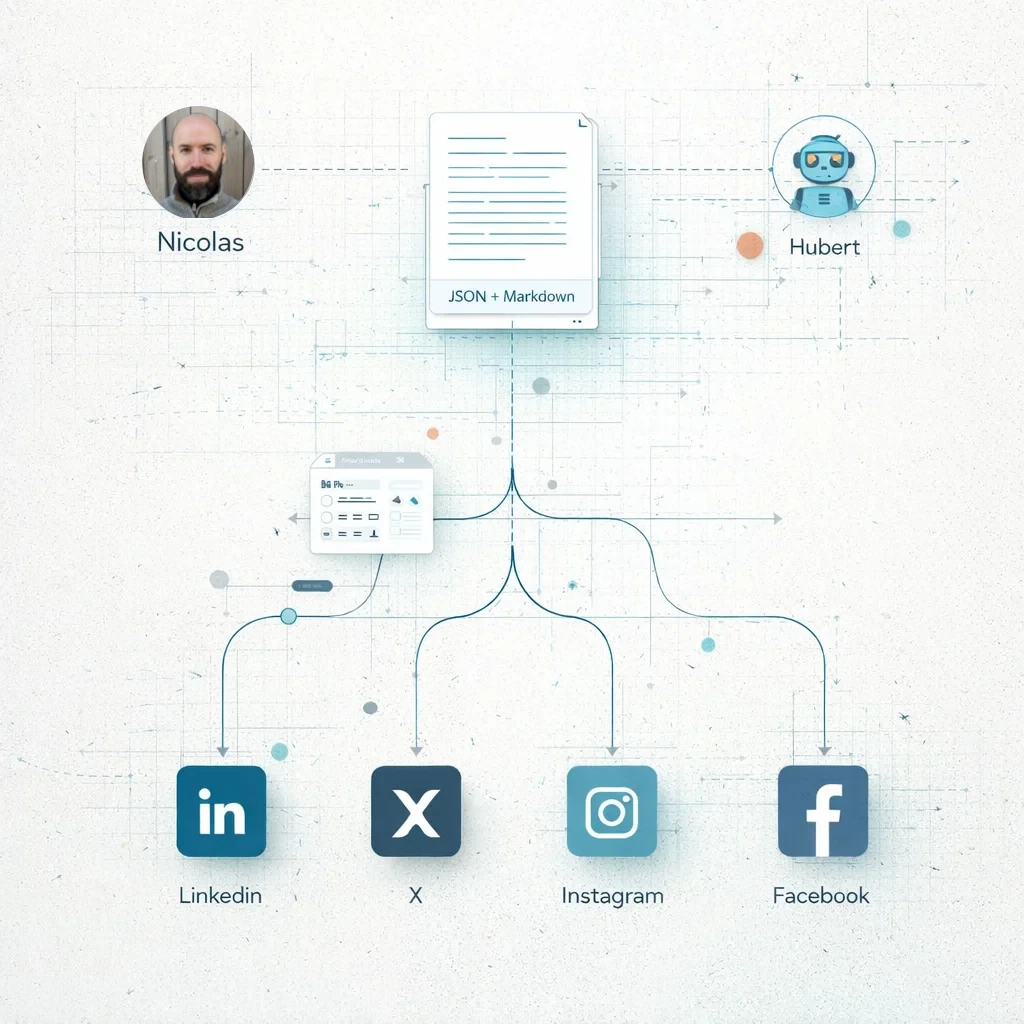
Building in Public: Three blog posts, four social posts and an article - Socials in early 2026 using AI as a co-writer and editor
Even with AI, doing content well is still hard. Here's my actual workflow for creating and distributing content across platforms, the formatting challenges I encountered, and why this matters for Chronomation.